In today’s crowded online world, visual storytelling matters more than ever. Whether you’re a beauty clinic showing dramatic skin transformation, a fitness coach highlighting body progress, a photographer showcasing portfolios, or a WooCommerce store demonstrating product benefits—before and after images are powerful.
But how do you present those images in a way that looks clean, professional, and interactive—without writing a single line of code?
That’s where Darmaview comes in.
Darmaview is an easy-to-use Before & After Image Slider plugin for WordPress that helps you create beautiful, interactive image comparisons. Whether you want a simple slider or a fully responsive gallery with captions, thumbnails, and animations—Darmaview delivers it with style and simplicity.
In this complete guide, you’ll learn:
- What Darmaview Slider is
- Why it’s useful
- Key features and benefits
- How it works
- Practical use cases
- Pricing and plans
- Frequently asked questions
- Tips to get the most out of it
Let’s dive in!
What Is Darma View Slider?
Darmaview is a modern WordPress plugin that lets you create before and after image sliders to showcase transformations, comparisons, and visual changes with ease. It’s built specifically for users who want professional image sliders without any technical hassle:
- No coding skills needed
- Fully responsive (works on desktop, tablets & mobile)
- Easy to customize
- SEO-friendly
- Shortcode-based integration into pages or posts
Simply upload your images, choose your settings, and insert your slider using a shortcode anywhere on your site.
Why Visual Comparisons Matter
Humans are visual creatures. We process visual content much faster than text alone, and before/after images instantly tell a story that words cannot. These sliders help communicate:
Real results — Transformations are proven visually.
Credibility — Authentic before/after photos help build trust.
Engagement — Interactive sliders hold visitor attention longer.
Higher conversions — Visual proof can improve sales and bookings.
Whether you’re selling services, products, or showcasing creative work, a clean visual comparison can increase your conversions and make your content more compelling.
Darmaview Slider helps you do this without plugins that are complicated or bloated with features you don’t need.
Features That Make Darma View Slider Stand Out
Here’s a breakdown of Darmaview’s core features and why they matter.
1. Easy Navigation & Controls

Darmaview supports user-friendly navigation like:
- Arrow navigation
- Clickable thumbnails
- Touch & swipe support on mobile
These features make your slider interactive and intuitive for visitors.
2. Fully Responsive Design
Your sliders will look great on:
- Desktop computers
- Tablets
- Mobile phones
No matter the screen size, your visuals stay sharp and accessible.
3. Unlimited Sliders
You’re not limited to one slider per page. Create multiple sliders independently and display them wherever you need with simple shortcodes.
4. Simple Shortcode System
Darmaview’s shortcode system makes inserting sliders into your content extremely easy:
- Create the slider
- Copy the shortcode
- Paste it into your page or post
Done! Even beginners can handle it.
5. Powerful Slider Dashboard
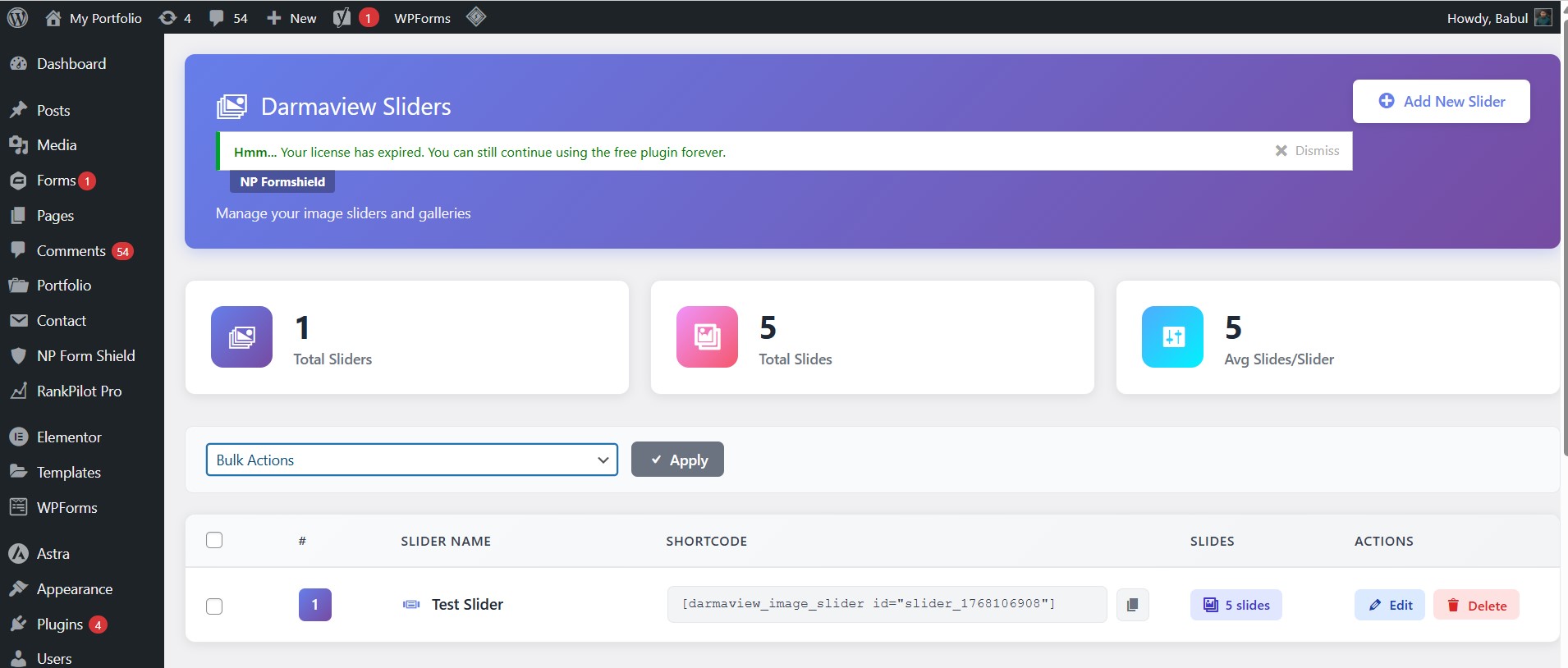
Manage everything from a clean dashboard where you can:
- See all your sliders at a glance
- Edit slides easily
- Use bulk actions
- Monitor your total slides and slider stats
The dashboard is designed for clarity and control.
6. Design Customization Options
Want to tweak colors, arrow styles, animation speed, or layout? Darmaview gives you simple controls for:
- Custom slide intervals
- Arrow designs and positions
- Auto sliding and pause on hover
- Captions and thumbnails
…and much more without editing code.
7. SEO-Friendly Code
Your sliders won’t slow down your site or hurt search rankings. The plugin is built with clean, search-engine-friendly code that helps your content get indexed properly.
8. Pro Features for Advanced Control
If you upgrade to a paid plan, you also unlock:
- Advanced animation options
- Priority support
- Full customization controls
- Auto slides with timing precision
- Regular updates and more
This makes Darmaview a scalable solution from beginner to expert use.
How It Works
Using Darmaview is straightforward, even for beginners. Here’s how it typically works:
Step 1: Install the Plugin
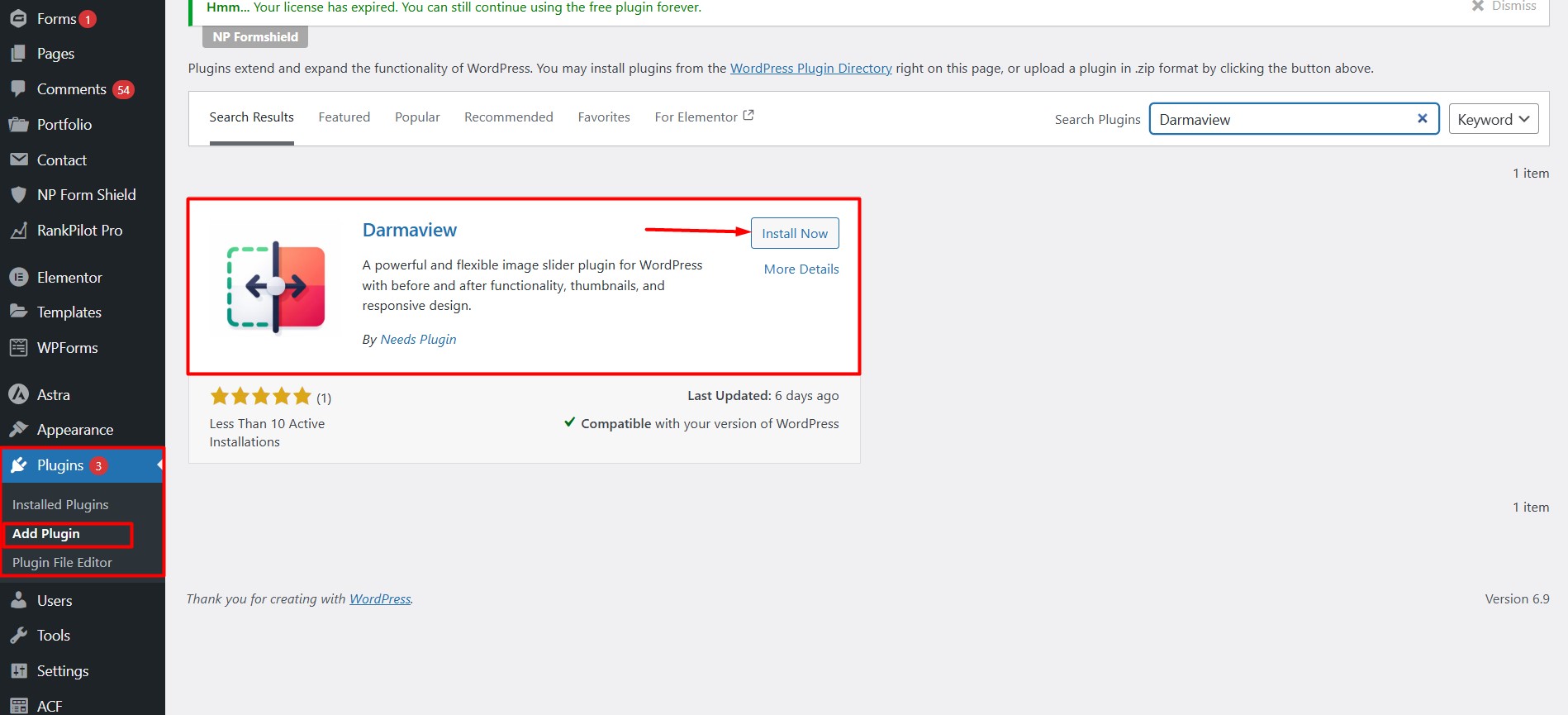
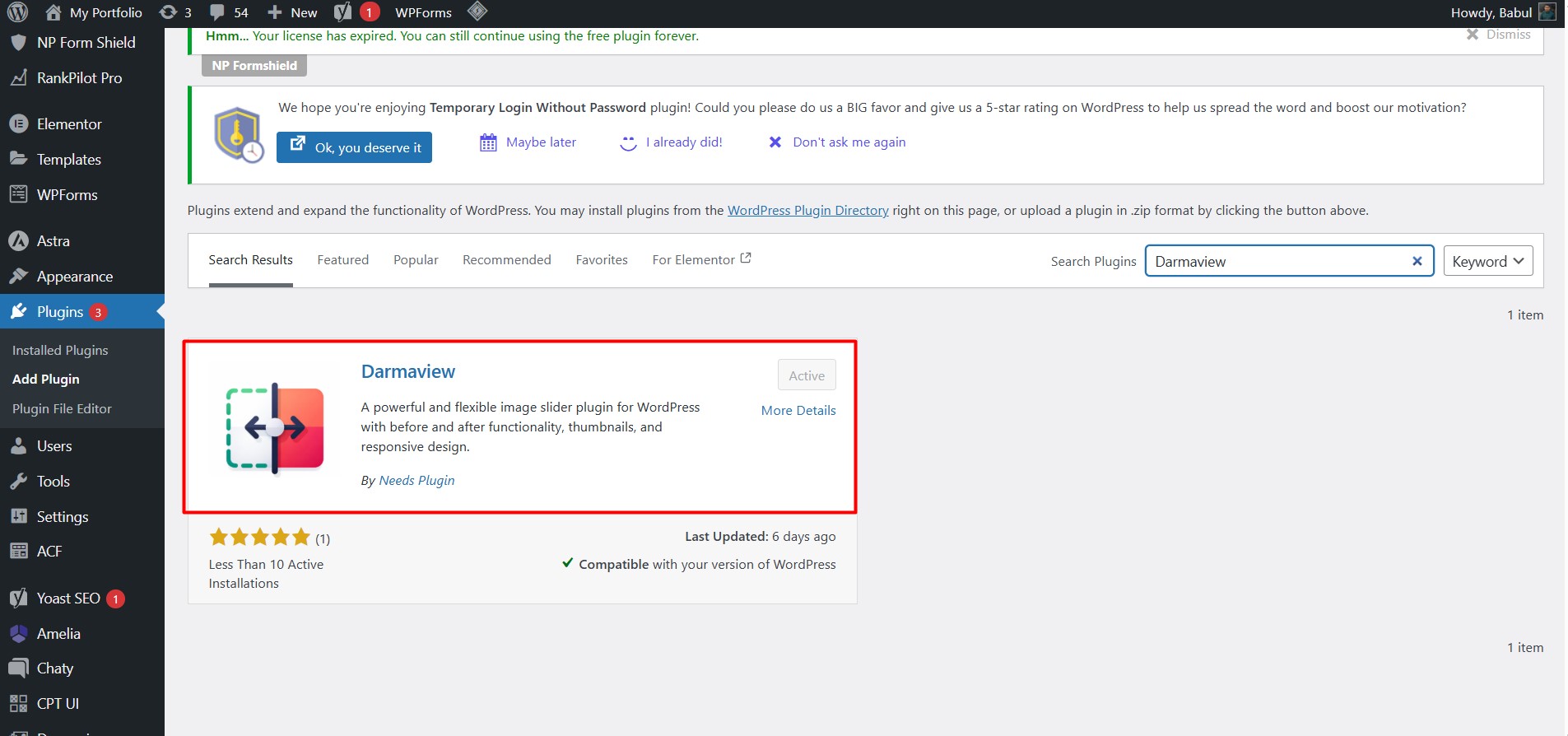
Install Darmaview from your WordPress dashboard just like any other plugin.
Step 2: Create a New Slider
Open the Darmaview dashboard and click “Add New Slider”.
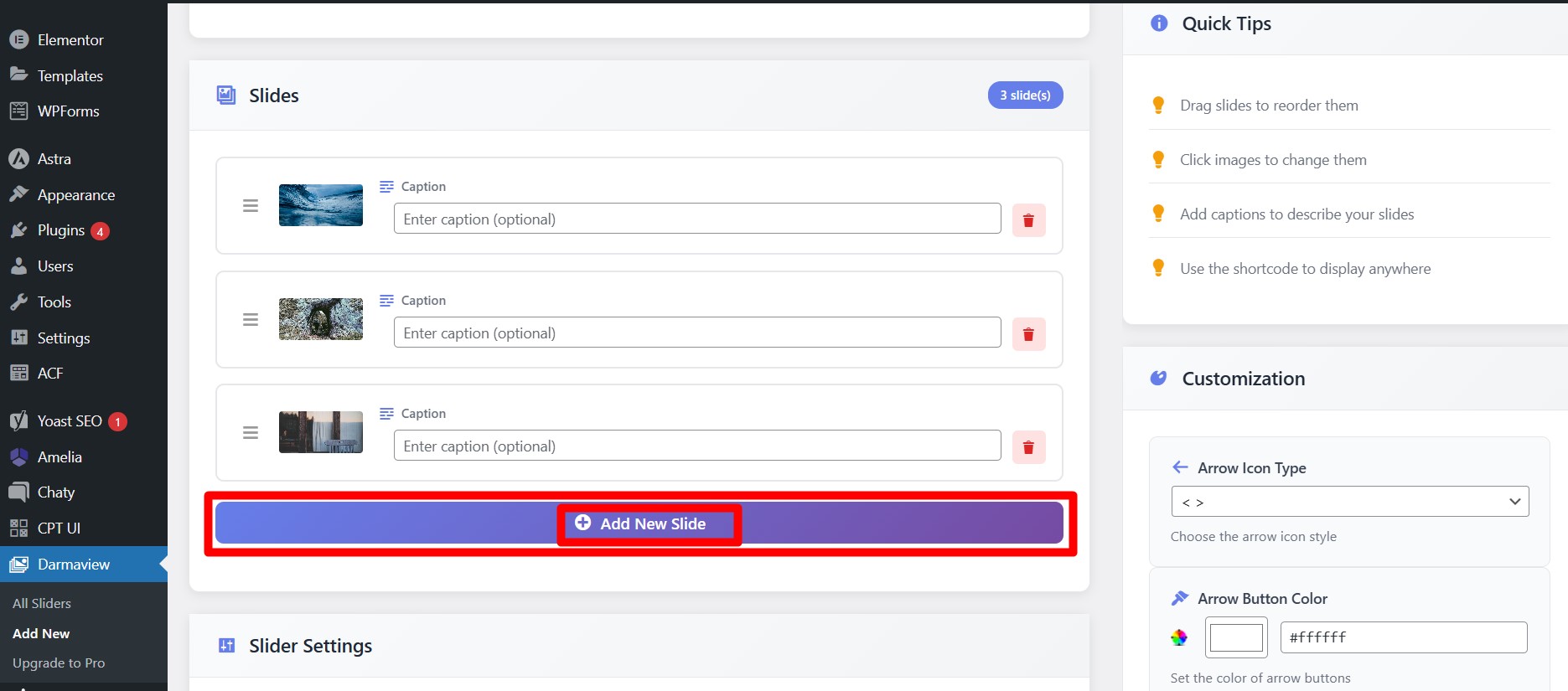
Step 3: Upload Images
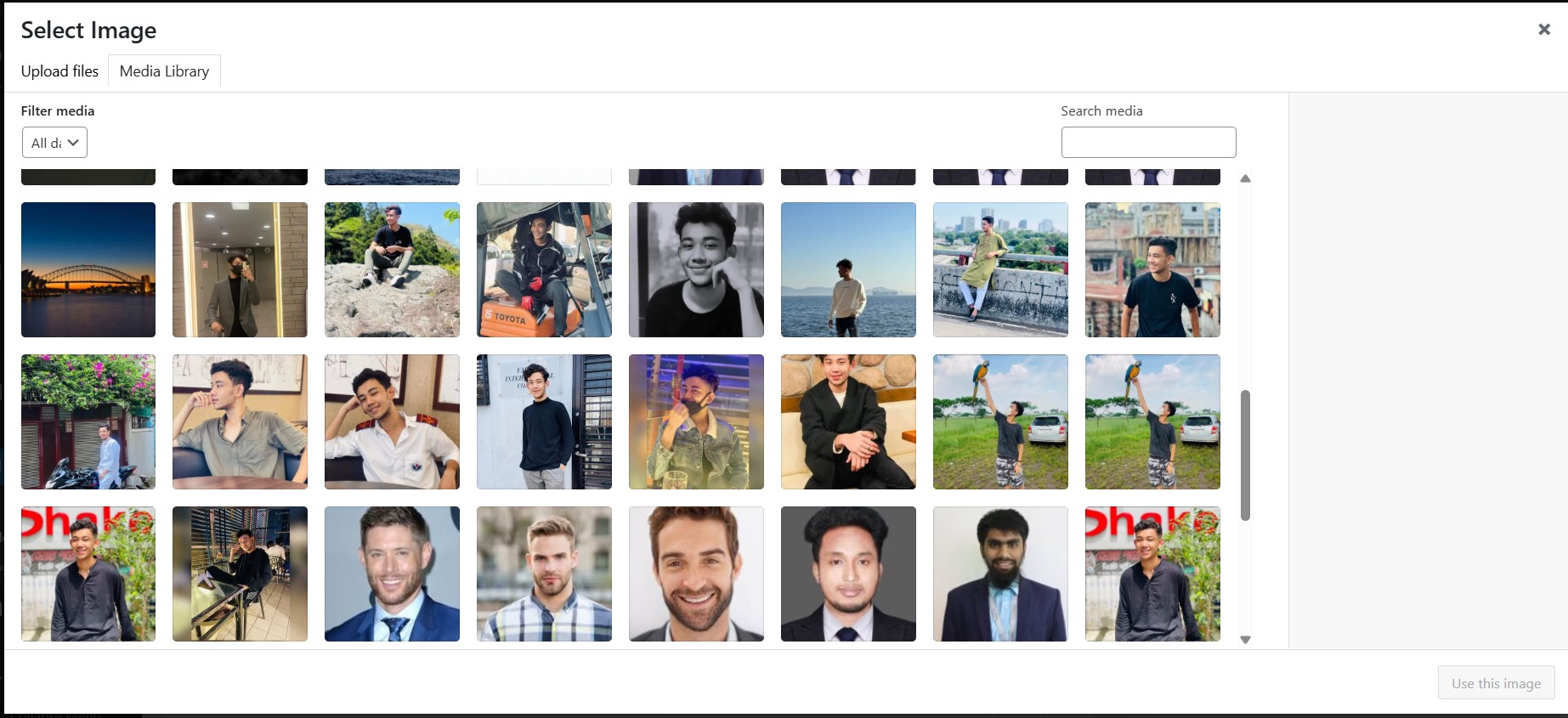
Upload your before and after photos. You can add multiple slides to build a gallery.
Step 4: Customize Settings
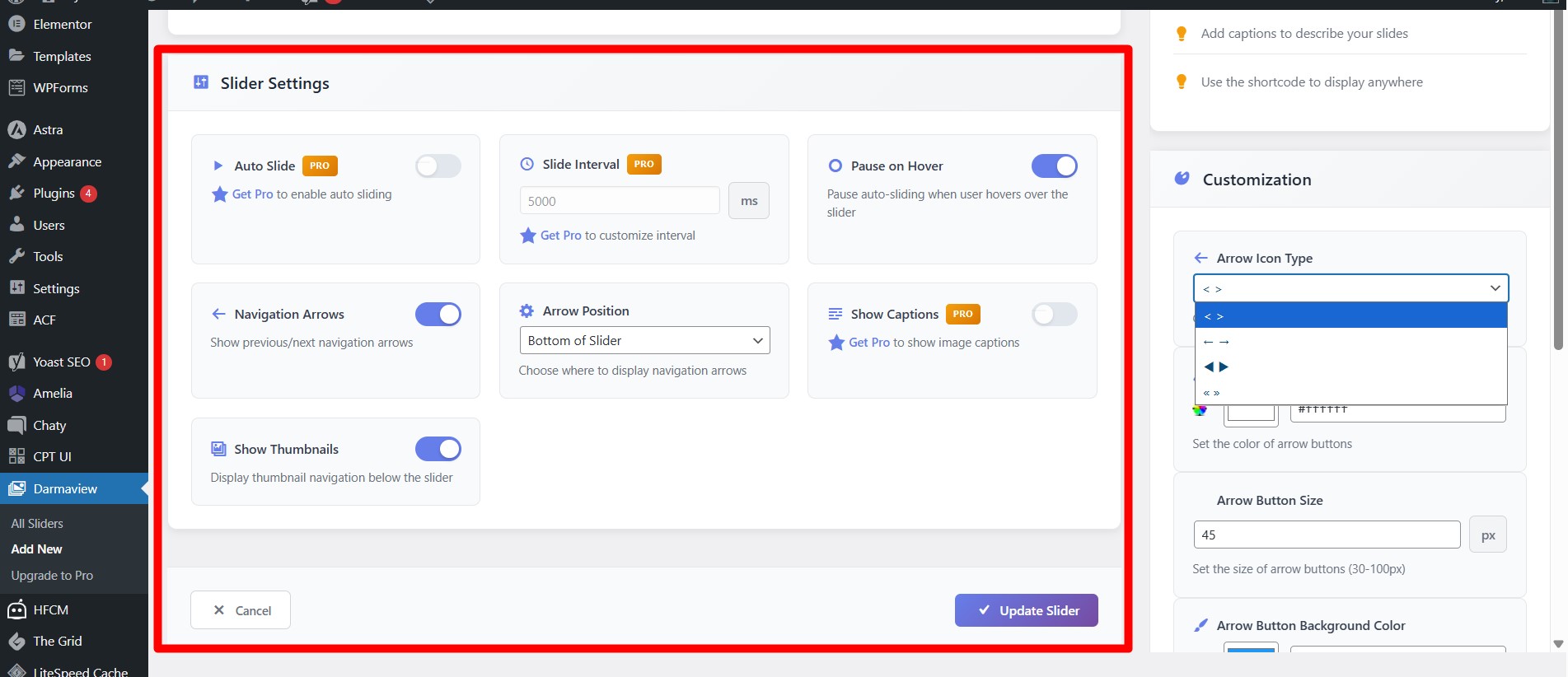
Choose:
- Slide style
- Navigation options
- Captions
- Auto slide timing
- Colors and layout
You can go minimal or more detailed depending on your goals.
Step 5: Copy & Paste Shortcode
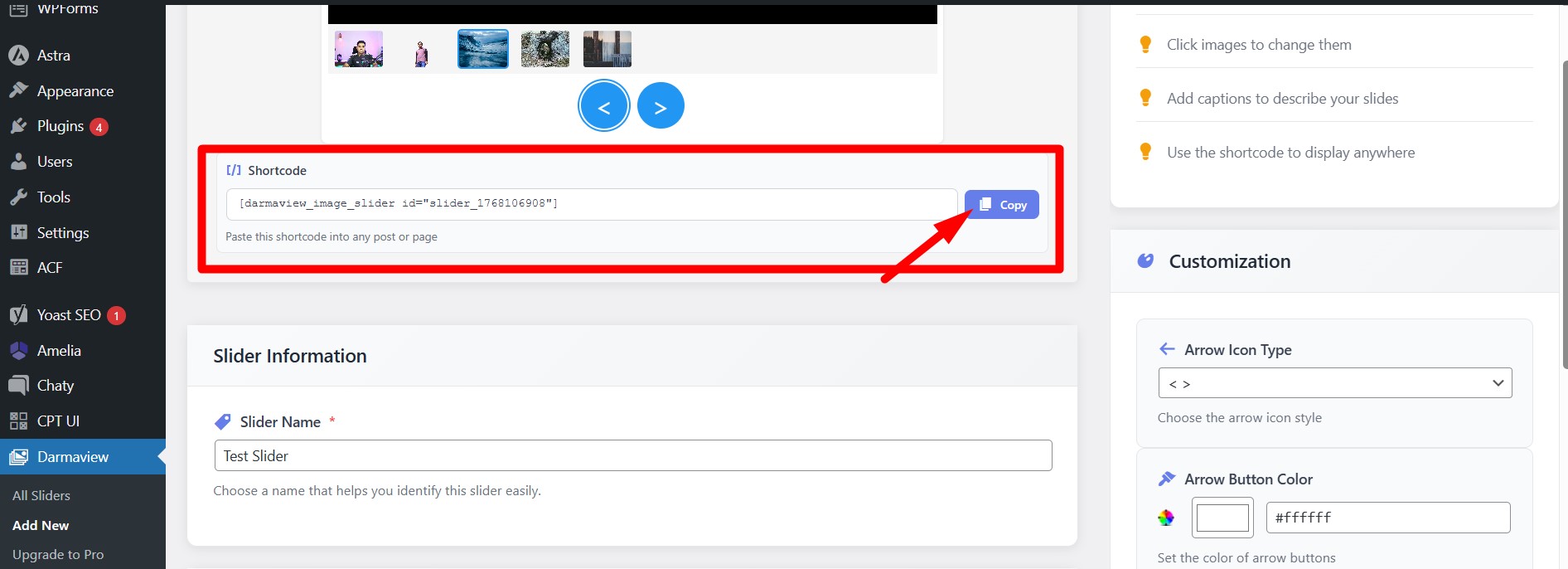
Once you save the slider, Darmaview generates a shortcode. Paste it into any post, page, or widget where you want the slider to show.
Your slider appears instantly — no coding, no hassle.
Where You Can Use Darma View Slider
Darmaview is flexible, and its use cases go beyond before/after photos. Some of the most popular ways to use it include:
Beauty Clinics
Show transformations from skincare treatments, laser therapy results, cosmetic procedures, and more in an interactive way that builds trust.
Fitness & Health
Highlight progress photos, body transformation journeys, or step-by-step workout results.
Photography Portfolios
Showcase your creative work with sliders that grab attention and tell a visual story.
Product Galleries
In WooCommerce stores or product pages, use sliders to compare versions, variants, or features.
Service Demonstrations
For home improvement, remodeling, car detailing, or even interior design—visual comparisons help your audience understand your work.
Client Testimonials
Turn client images and reviews into powerful social proof sliders.
Educational Content
Use sliders to show step-by-step learning results, diagrams, or visual comparisons in educational posts.
Darmaview fits seamlessly on virtually any WordPress site that uses images.
Frequently Asked Questions
Is Darmaview mobile friendly?
Yes. It’s fully responsive and supports touch gestures like swipe navigation.
Can I use multiple sliders on one page?
Absolutely! Each slider is independent and can be inserted anywhere with shortcodes.
Do I need coding skills?
Not at all. The plugin is designed for users of all skill levels.
Does it support auto sliding?
Yes. You can set automatic transitions and hover pause features.
Can I customize captions and thumbnails?
Yes – the plugin includes options for captions and thumbnail navigation.
Is Darma View Worth It?
If you’re looking for a simple, powerful, and visually appealing before/after image solution for WordPress, Darmaview is definitely worth considering.
It’s:
Easy to use
Fully responsive
Flexible in design
SEO-friendly
Cost-effective
Whether you run an online business, a blog, a portfolio site, or a professional service site, Darmaview gives you the tools to present your visual content beautifully—and without frustration.