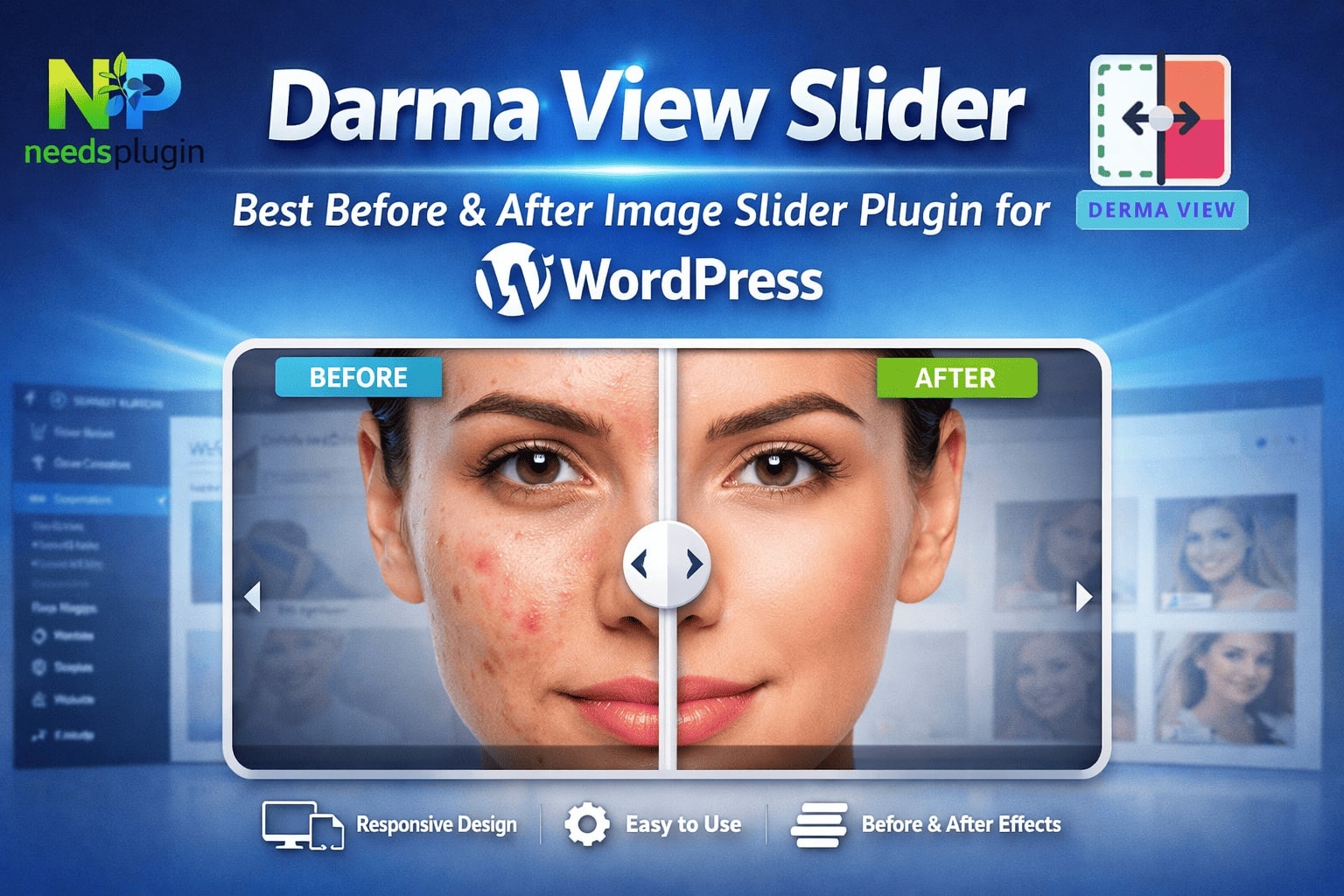
If you have a WordPress website, you already know one thing: people love visuals. No matter what type of website you run photography, design, beauty, renovation, ecommerce or even a simple blog your visitors want to see things clearly. They don’t want to read long paragraphs just to understand the difference between an old version and a new one or between two product styles.
That is why image-based content is so important today. And if you want to present images in a way that looks modern, professional and interactive, then you need the right plugin.
In this blog post on NeedsPlugin, We are focusing on one amazing plugin that is perfect for showcasing. Before and after photos, Product image galleries, Creative work portfolios, Image collections for services and projects & Visual comparisons in an engaging way. The plugin name is: DarmaView
Let’s explore why DarmaView is one of the best WordPress plugins for showcasing images and how it can help your website look more impressive.
Why Showcasing Images Properly Matters in WordPress
Images are not just decoration. They are proof. For many businesses and creators, images are the reason visitors become customers. For example:
- A photographer gets clients by showing photos
- A makeup artist gets bookings by showing transformations
- A web designer gets projects by showing design samples
- An ecommerce store gets sales by showing products clearly
- A renovation company gets leads by showing before-and-after results
Now imagine if those images are displayed in a boring way. Visitors may scroll quickly and leave. But when images are displayed in a clean and interactive way, they stay longer. They explore more. They trust your work. That is exactly where DarmaView shines.
What is DarmaView?
DarmaView is a WordPress plugin that helps you display images beautifully especially when you want to compare two images or show a visual transformation. It is perfect for:
- Before vs After photo comparisons
2.Side-by-side transformation storytelling
3.Highlighting improvements, editing, upgrades or results
Instead of just placing images one after another, DarmaView creates a smooth slider comparison that looks modern and professional.
DarmaView is Perfect for Before & After Photos
Before-and-after photos are one of the most powerful ways to showcase your work. Why? Because they show a real change. And a real change is what people trust most.
Best examples of before & after photos:
- Photo editing (original vs edited)
- Skin retouching (raw vs retouched)
- Color correction (before vs after grading)
- Home renovation (old room vs new room)
- Cleaning services (dirty vs clean)
- Landscaping (empty yard vs finished garden)
- Website redesign (old website vs new website)
- Hair styling (before vs after haircut)
Instead of writing “I improved this photo” or “I redesigned this room,” you can simply show it. With DarmaView, visitors can drag the slider and see the difference instantly. This makes your website feel more interactive and more professional.
DarmaView Also Works Great for Product Galleries
Many people think before-after sliders are only for services. But DarmaView can also be useful for product galleries, especially if you sell items with visual differences.
Example product gallery use cases:
Clothing products, Shoes, Furniture, Skincare products, Car parts, Digital products, Art prints, Packaging redesign.
Even if you are not doing a “before/after transformation,” the slider format helps visitors focus on details. It creates a premium feel.
DarmaView is Great for Any Image Collection
Sometimes you don’t need a comparison. You just want to display a clean collection of visuals for your website. DarmaView helps because it is designed with a simple and clean layout that fits modern websites. DarmaView can be used for:
Creative project galleries, Portfolio highlights, Client case studies, Social media design collections, Branding work examples, Illustration samples, Print design collections and Product results showcase.
If your website depends on images, DarmaView is a smart tool to upgrade your presentation.
Main Benefits of Using DarmaView on Your WordPress Site
There are many WordPress plugins available but DarmaView offers some special benefits that make it a great option for beginners and professionals. Let’s look at the biggest reasons why people love it.
1. Easy to Use (Perfect for Beginners)
Not everyone is a WordPress expert. Some plugins come with complex settings that can confuse users. DarmaView keeps things simple, so even beginners can use it without trouble. You don’t need coding skills. You don’t need design knowledge. Just install it and start adding your image.
2. Modern and Professional Look
Your website design matters. When visitors land on your website, they decide in seconds if it looks trustworthy. A simple image slider that looks clean and modern instantly adds a professional touch. DarmaView doesn’t feel old-fashioned. It looks fresh and smooth.
3. Smooth Before & After Slider Interaction
A before-after plugin must feel smooth when sliding. If the slider is slow or jumps around, visitors will not enjoy using it. DarmaView offers a clean sliding experience, which makes the website feel high quality. It keeps users engaged longer, which is great for your brand.
4. Mobile Responsive (Works on All Devices)
Most website traffic comes from mobile phones.So if your slider doesn’t work well on mobile, it’s a big problem.DarmaView is responsive and works on: Mobile phones,Tablets,Desktops
This means visitors can view your before-after photos comfortably, no matter what device they use.
5. Lightweight and Website Speed Friendly
Some gallery plugins are heavy and slow your site down. That can hurt:
- your user experience
- your SEO
- your conversion rate
DarmaView focuses on delivering the main function without unnecessary load. That’s good for overall website performance.
6. Builds Trust Through Visual Proof
Trust is everything online. People don’t want only promises. They want proof. Before and after images are proof. With DarmaView, your website becomes more convincing because visitors can clearly see what you can do. This helps you get: more inquiries, more bookings, more sales and more clients
Best Industries and Websites That Can Use DarmaView
DarmaView is not limited to one. It can help almost any website where visual content is important. Here are some great examples:
1. Photographers and Photo Editors
Photographers can use DarmaView to show:
- raw vs edited photos
- lighting correction
- portrait enhancements
- background removal
- wedding photo edits
When clients see the improvement, they feel confident hiring you.
2. Graphic Designers and Branding Experts
Designers can showcase:
- logo redesign
- typography improvements
- social media design upgrades
- banner edits
- brand identity changes
The slider makes your work more impressive because it highlights the difference clearly.
- Web Designers and Developers
Website designers can show:
- old vs new website layout
- homepage redesign
- mobile layout improvements
- UI/UX changes
Instead of saying “I improved the website,” you can show the exact transformation.
4. Beauty, Hair and Makeup Professionals
Makeup artists and salons can use DarmaView for:
- hairstyle transformation
- makeup before after
- grooming improvements
- skincare results
This makes your website a strong marketing tool.
5. Home Renovation and Interior Designers
This industry is perfect for before-after sliders. You can display:
- kitchen renovation results
- bathroom remodel
- room makeover
- wall painting projects
- furniture arrangement changes
Before-after sliders can bring more clients because visitors get inspired.
6. Ecommerce Stores & Product Brands
Product sellers can show:
- product angles
- packaging redesign
- product upgrades
- results after use
- cleaning improvement
Even simple product presentation becomes better when done visually.
Where Should You Use DarmaView on Your WordPress Website?
To get the best results, you should add DarmaView sliders in the right places.Here are the top sections:
1. Homepage
Your homepage is your first impression. Add 2–3 sliders showing your best transformations. This instantly tells visitors:
“This is what we do, and we do it well.”
2. Portfolio Page
Your portfolio should look interactive and engaging. A simple gallery can be good, but sliders make it better. Visitors will stay longer and explore your work more.
3. Service Pages
Service pages are where clients decide to contact you. Example service pages:
- Photo retouching service
- Website redesign service
- Home renovation service
- Makeup service
- Car detailing service
When you add before-after examples on service pages, the conversion rate can increase because visitors see clear proof.
4. Blog Posts and Case Studies
Blog posts can become more powerful with DarmaView. You can write:
- the client problem
- your process
- the final result
And include the slider for visual proof. This makes your blog posts more interesting and more shareable.
5. Landing Pages
Landing pages are designed to sell or get leads. A before-after slider fits perfectly on landing pages because it builds trust quickly.
Tips to Make Your DarmaView Sliders Look Amazing
Even the best plugin needs good images. Here are some simple tips to create perfect before-after sliders:
Tip 1: Use Same Image Size
Always use images with the same size and shape. Example:
- both images 1200×800
- both images square
- both images same ratio
This helps your slider look neat and aligned.
Tip 2: Keep Lighting and Angle the Same
This is very important for renovations, makeup and transformations. If the lighting changes a lot, the comparison will not feel accurate. Try to use consistent lighting and camera position.
Tip 3: Use Clear and High-Quality Photos
Avoid pixelated images. A good slider deserves good visuals. If your “after” photo is beautiful but the “before” is too blurry, it can reduce trust. Use clear images for both sides.
Tip 4: Compress Images for Faster Loading
Big image files can slow your website. Use basic image compression before uploading. Fast loading = better user experience + better SEO.
Tip 5: Don’t Add Too Many Sliders on One Page
Too many sliders can make the page heavy and confusing. Instead: show only your best transformations, focus on quality not quantity
Why DarmaView is Better Than Simple Side-by-Side Photos
Many websites display before and after like this:
- One image on top
- Second image below
Or two images next to each other. But it’s not as effective.
With DarmaView, the visitor can:
✔ slide and explore the image
✔ focus on small details
✔ understand changes clearly
✔ feel more engaged
A slider creates a much stronger impact. It feels interactive and premium.
How DarmaView Improves User Experience
A good website is not only about design. It is about experience. DarmaView improves website experience by making visuals:
✅ easier to understand
✅ more engaging to interact with
✅ more professional to view
And when visitors feel confident, they take action. That action could be:
- contacting you
- requesting a quote
- buying a product
- booking a service
- reading more pages
So yes, DarmaView can indirectly help your business grow.
How to Install DarmaView Plugin in WordPress
If you’re ready to use it, here’s a simple guide.
Step 1: Go to Your WordPress Dashboard

Login to WordPress and go to:
Plugins → Add New

Step 2: Search for “DarmaView”
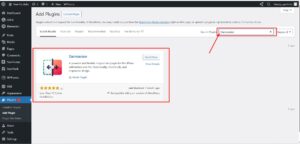
Type DarmaView in the search bar.
Step 3: Click Install & Activate
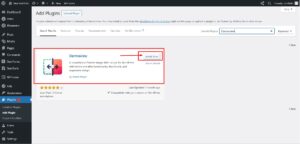
After installing, click Activate.
You can also check the official plugin page here:
🔗 https://wordpress.org/plugins/darmaview/
Step 4: Add Your Images
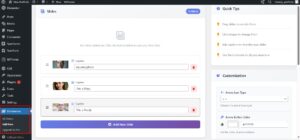
Now you can start adding before and after images and display them on your pages or posts.
DarmaView is the Best WordPress Plugin for Image Showcasing
If you want to showcase:
✅ before and after photos
✅ product galleries
✅ image collections
✅ creative works
✅ real transformations
then DarmaView is one of the best WordPress plugins you can choose. It is simple, smooth and professional perfect for modern websites. Instead of using boring static images, DarmaView helps you create a more interactive and beautiful image display. That means more trust, better presentation and more engagement. Download DarmaView here.